
How do I edit a recurring poll?
Locate the most recent instance of the recurring poll the channel and click the green Open button to open the Poll Management Window.
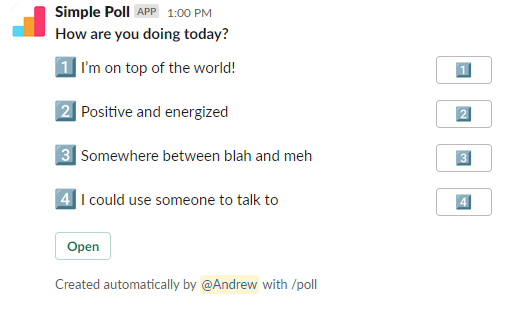
Scroll toward the bottom of the Poll Management Window and locate the dropdown menu labeled 'More Poll Actions'.
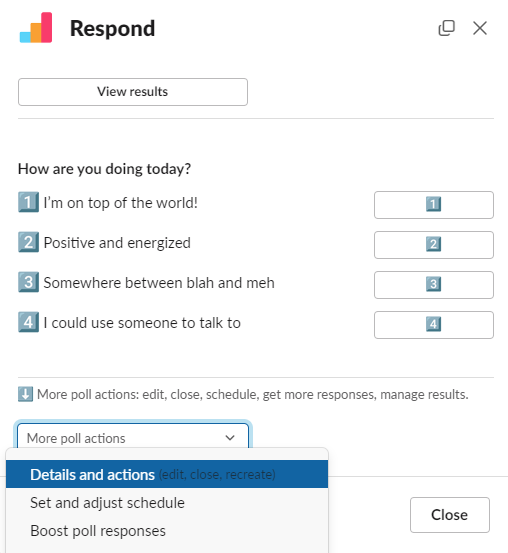
Select 'Details and Actions' and select 'Recreate' from the generated options. This will open a new Poll Creation Modal. You can make your required changes here.
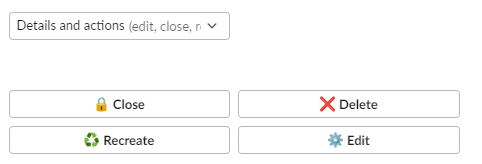
Important: Ensure that you have reselected the schedule of your original recurring poll.
Once the changes have been made, select Preview and then Create Poll to post your new edited poll.
Very important: Click "Open" at the bottom of the most recent recurring poll again (the "old" poll). At the bottom of the pop up, select "Set and adjust schedule" from the "More poll actions" drop down list. Here you will click, "Stop Schedule". This will stop the "old", unedited poll from going out anymore.