
Product Release Notes
Introduction
The aim of this article is to provide you with a high-level overview of some of the key customer-facing updates - functionality changes you'll see in the Simple Poll User Interface (UI).
Our Developers often make improvements to the "backend" - infrastructure/architecture - to enhance performance (e.g. make things load extra quickly, or be even more robust/reliable), those changes will not be listed here.
2026
Q1 - 2026
- Where appropriate, when exporting poll results you can now select "by respondent" export. Exports also now include a timestamp column.

2025
Q4 - 2025
-
Users can now schedule a poll for the future using
/pollsyntax (note: only one-off scheduled polls, not recurring polls)e.g.
/poll "What should we have for lunch?" "Pizza" "Sushi" "Salad" schedule 3pm/poll "Team standup topic?" "Project updates" "Blockers" "Wins" schedule tomorrow 9am/poll "Holiday party date preference?" "Dec 20" "Dec 21" "Dec 22" schedule 2025-12-15 10:00/poll "Sprint retrospective feedback?" "Went well" "Could improve" "Action items" schedule Jan 6 2pm/poll "Global team sync topic?" "Q1 Planning" "Hiring" "Budget" schedule 2025-01-10 09:00-05:00
-
You can now create multi question polls using /poll 🎉
Questions are separated using --- and the very first section is used to specify title, description, anonymity, scheduling and any other global options
Here's a few examples:
Basic two-question poll
/poll "Lunch Survey" --- "Food?" "Pizza" "Salad" --- "Drink?" "Water" "Soda"With description/poll "Weekly Standup" "Please complete by EOD" --- "Progress?" "On track" "Blocked" --- "Help needed?" "Yes" "No"With global modifier (anonymous applies to all questions)/poll "Feedback" anonymous --- "Rating?" scale --- "Comments?" short-textPer-question types/poll "Team Survey" --- "Pick one?" "A" "B" limit 1 --- "Rank these?" "X" "Y" "Z" rankedOptional questions (not required to answer)/poll "Team Survey" --- "Required Q?" "A" "B" --- "Optional Q?" "X" "Y" optional
- The "Drafts (3)" and "Template gallery" buttons have been moved to the bottom of the Create Poll. Additionally the "Save draft" button has been removed and the "Send me a test poll" button is now the regular colour instead of the primary/green.

-
We've tidied up the ergonomics and flow when creating a poll.
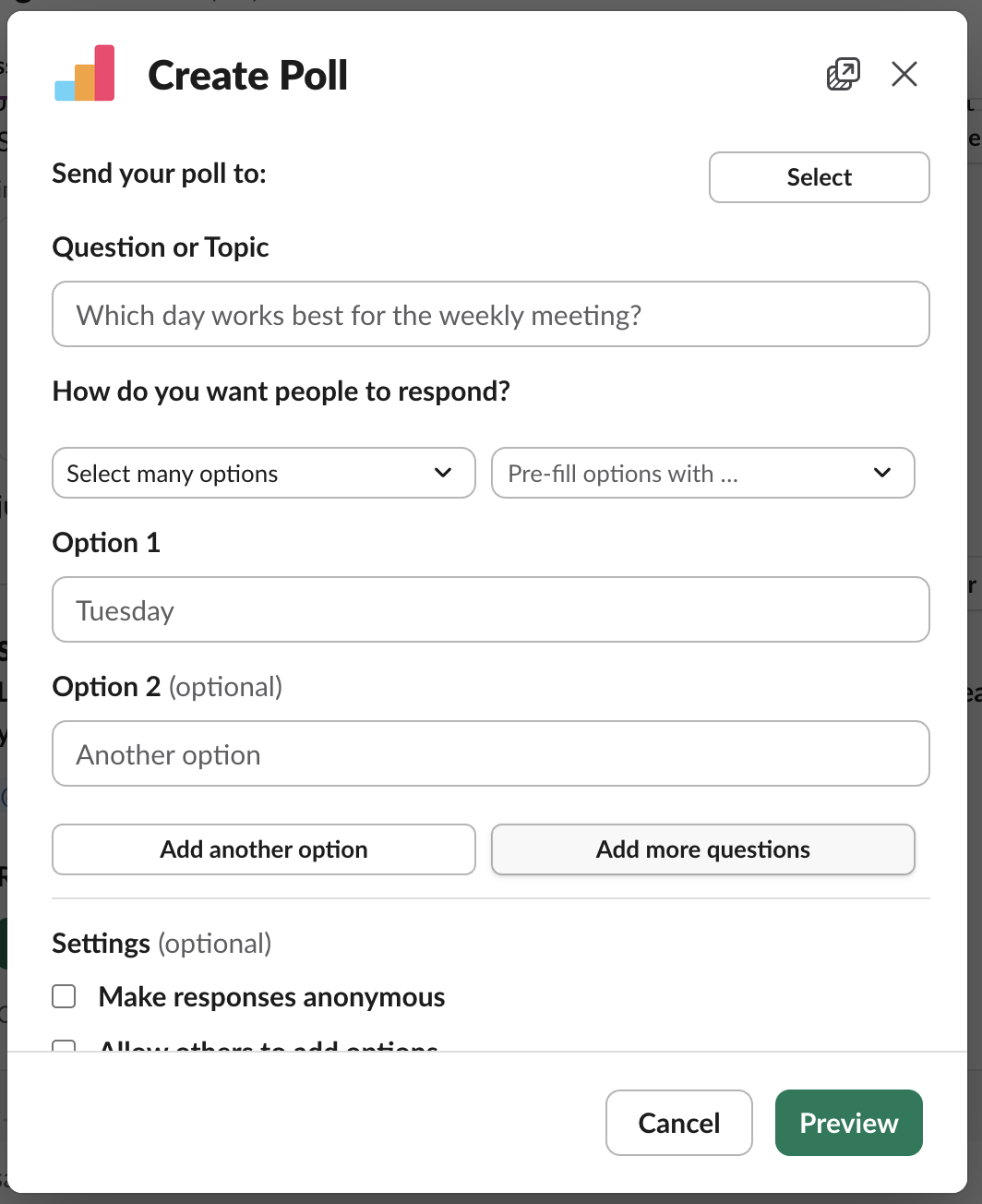
The UI now has a unified field with Add another options / Add more questions being alongside each other.
-
It just got easier to create a poll with lots of options. The 'Pre-fill options with...' drop-down now has the option to "Add 10 empty options.
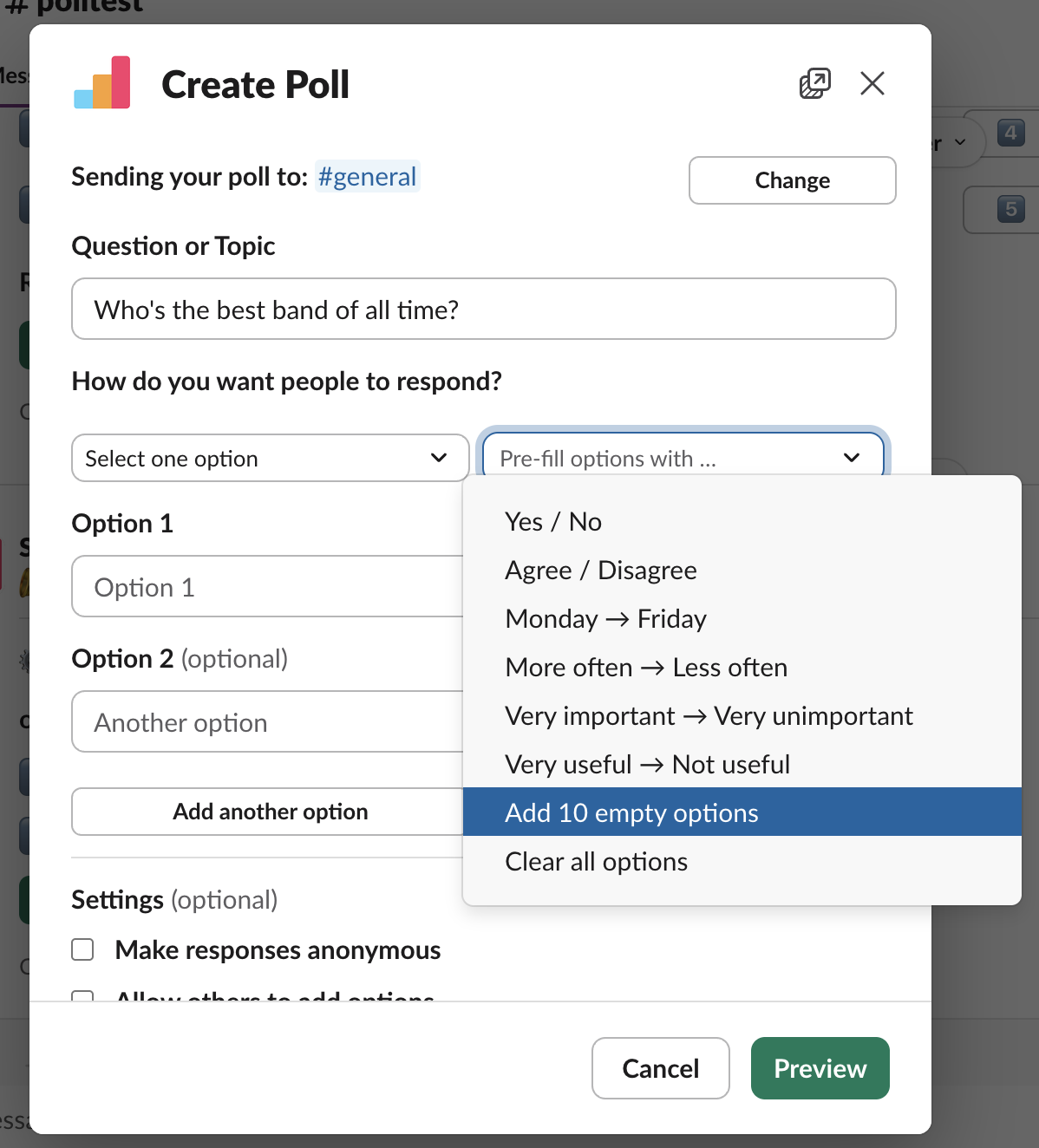
It's now possible to quickly 'Add 10 empty options'.
- The "more poll actions" menu is no more! We now show all the options via "poll settings" button.

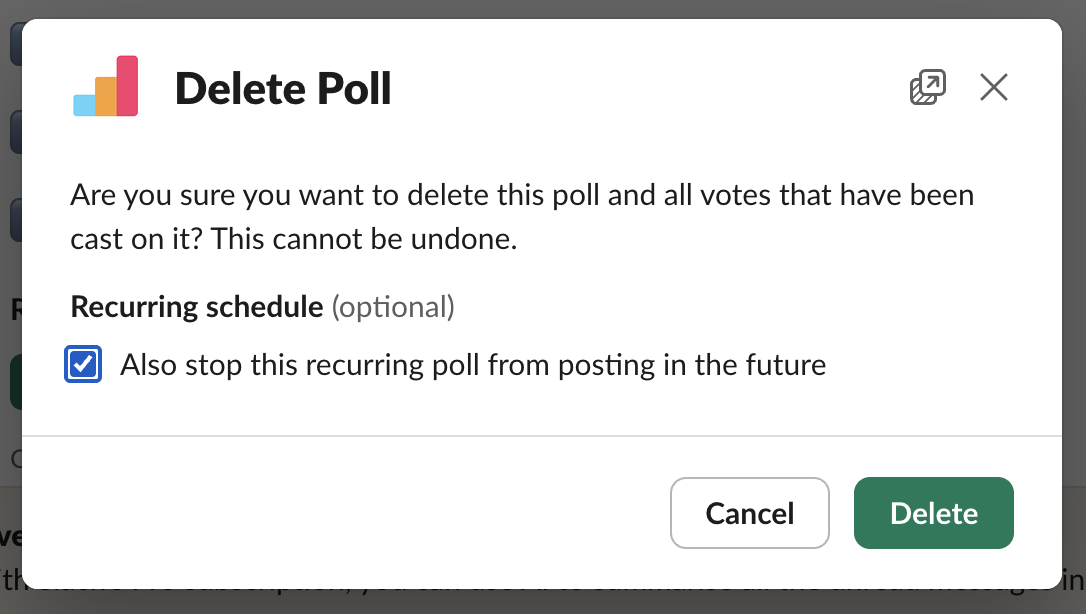
- When deleting a poll that is attached to a recurring poll, users now get a checkbox option asking them if they'd also like to stop the poll from recurring in the future.
Q3 - 2025
- We have released our API which will allow you to programmatically create polls in Slack as well as retrieve the results. Full details can be found in this support article.

2024
Q1 - 2024
- We have added a new option to our Scheduled Polls allowing them to be sent out annually.
- We have updated our Homepage for ease of navigation and a new look.
-
The old 'Three Dot Menu' has been removed for the green 'Open' Button for a more multi-purpose Poll Management experience.

- When creating a Multi-Question Poll of three questions or less you will now see a preview of the results right in the channel


- Made it easier to send polls via direct message to multiple recipients at once, minimizing the number of clicks for a smoother experience.
- Added the option to make selected question in a Multi-Question Poll optional for more detailed and customizable polls.
- Updated the in-app tutorial with new information.
Q2 - 2024
- Workplace Administrators will now receive a notification in the event of a failed payment.
Q3 - 2024
- All poll creators now have access to a brand-new, improved dashboard! This powerful tool will help poll creators dive deeper into their polls, allowing them to take a more data-driven approach to analysing responses and driving your success.
- Dive Deeper: Ensure you get the most from every response with detailed breakdowns and visuals.
- User-Friendly Interface: Navigate through your data with our intuitive and sleek design.
- Success-Driven Decisions: Use the insights to inform and optimise your future polls, guaranteeing you ask the right questions and achieve the best results.


Q4 - 2024
- The legacy 'Surveys' feature will be deprecated starting on October 1, 2024. Whilst the feature has been removed, the ability to create surveys now exists within the 'Polls' feature. Full details can ne found in this announcement.
-
Multi-question polls now have an optional 'Notes' field for you to provide contextually relevant info for each question (if required).
- Poll Creators now receive further "in app" support and guidance (see screenshots below)


